

Expense Tracking Add On
by BluJ IT
Add business expense tracking to Mileage Tracker or Time Tracker by BluJ IT.
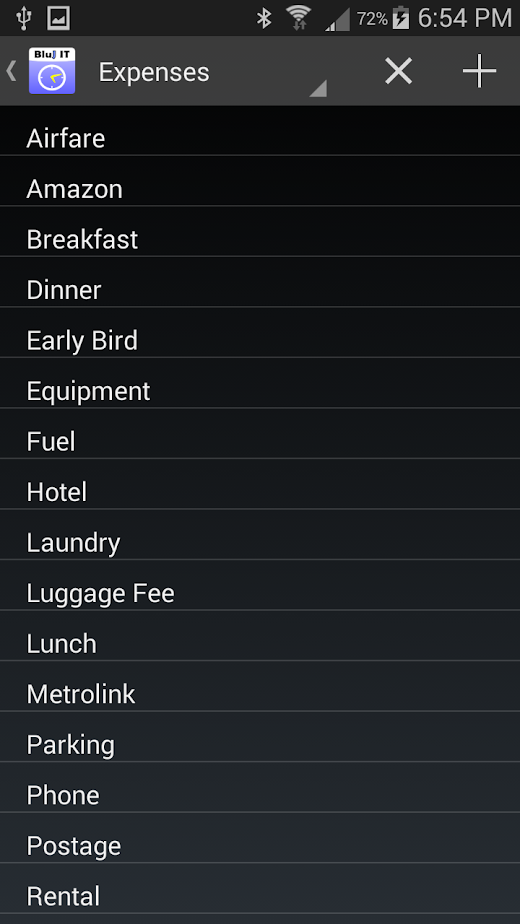
Expense Tracking Add On
The Expense Add On integrates seamlessly with your existing Mileage or Time tracker applications to provide an extremely robust set of features for expense management.
This application upgrades your existing Mileage Tracker or Time Tracker applications; so, you will continue to use those applications to access you new expense management features.Each expense entry provides the following options:* Purchases as well as returns are able to be tracked within Expense Tracker.* Each credit and purchase can be tracked in whatever currency the item was purchased in.
With the automatic updates of exchange rates, these purchases are summarized along with other currency purchases to the base currency of the user.* With more than 20 different payment types within Expense Tracker, you can track and report purchases for each of your different payment types.* Expense Tracker allows each expense to be associated with a tag for grouping expenses together.* Do you need to track where the purchase was made?
The merchant field allows you to keep this information close at hand.* With the additional notes field, even more details about the expense can be recorded.
Maybe you purchased dinner for a number of guests and need to remember their names or possibly you need to add justification for your purchase.
Whatever the need, the notes field can help.* Receipts can be associated with expenses in one of two ways:** For devices with built in cameras, a picture of the receipt can be taken and added to the expense in only two touches.** If your receipt is already in an electronic form (PDF, Word, Excel, etc.), you can easily attach and view the receipt within Expense Tracker.
About Expense Tracking Add On
- Package name (App ID)
- com.blujit.expense.addon
- Available on
- Google Play
- Price
- $3.99
- Developer
- BluJ IT
Looking for the Expense Tracking Add On APK?
The safest way to get Expense Tracking Add On (com.blujit.expense.addon) on your Android device is to install it directly from Google Play — you'll always get the latest official version, automatic updates, and no risk of modified or infected APK files from third-party sites.

Camera Features
Advanced camera features with editing capabilities.
Food & Dining
Discover recipes and order food from your favorite restaurants.
News & Updates
Stay informed with the latest news and updates.
See Expense Tracking Add On in Action


Frequently Asked Questions
Is Expense Tracking Add On free?
Expense Tracking Add On is a paid app — it costs $3.99 on Google Play. You pay once through your Google account and can install it on your Android devices.
How do I install Expense Tracking Add On on Android?
Open Google Play on your Android phone or tablet, search for Expense Tracking Add On by BluJ IT or tap the Google Play button on this page, then tap Install. The app downloads and installs automatically.
What is com.blujit.expense.addon?
com.blujit.expense.addon is the App ID (package name) of Expense Tracking Add On on Google Play. Every Android app has a unique package name, and it is the safest way to verify you are installing the official app.
Is Expense Tracking Add On safe to download?
Installing Expense Tracking Add On from Google Play is the safest option: you get the official version published by BluJ IT, verified by Google Play Protect, with automatic updates. Avoid APK files from unofficial third-party sites.
Get Expense Tracking Add On Today
Expense Tracking Add On for Android — $3.99 on Google Play.
Compatible with Android phones and tablets — available on Google Play.
Ask AI about this app
Get instant answers about features, tips and more from popular AI assistants.